Scripts is the generic source: the open door into Tempo. There is no integration to install on the other end and no vendor payload contract to match. You decide what to send. Any of your own shell scripts, cron jobs, backup hooks, CI steps, or one-off webhooks can POST a JSON event to Tempo’s ingest endpoint, and it lands on the timeline. This is the score that embodies the rule of entry: if it can POST, Tempo can read it.
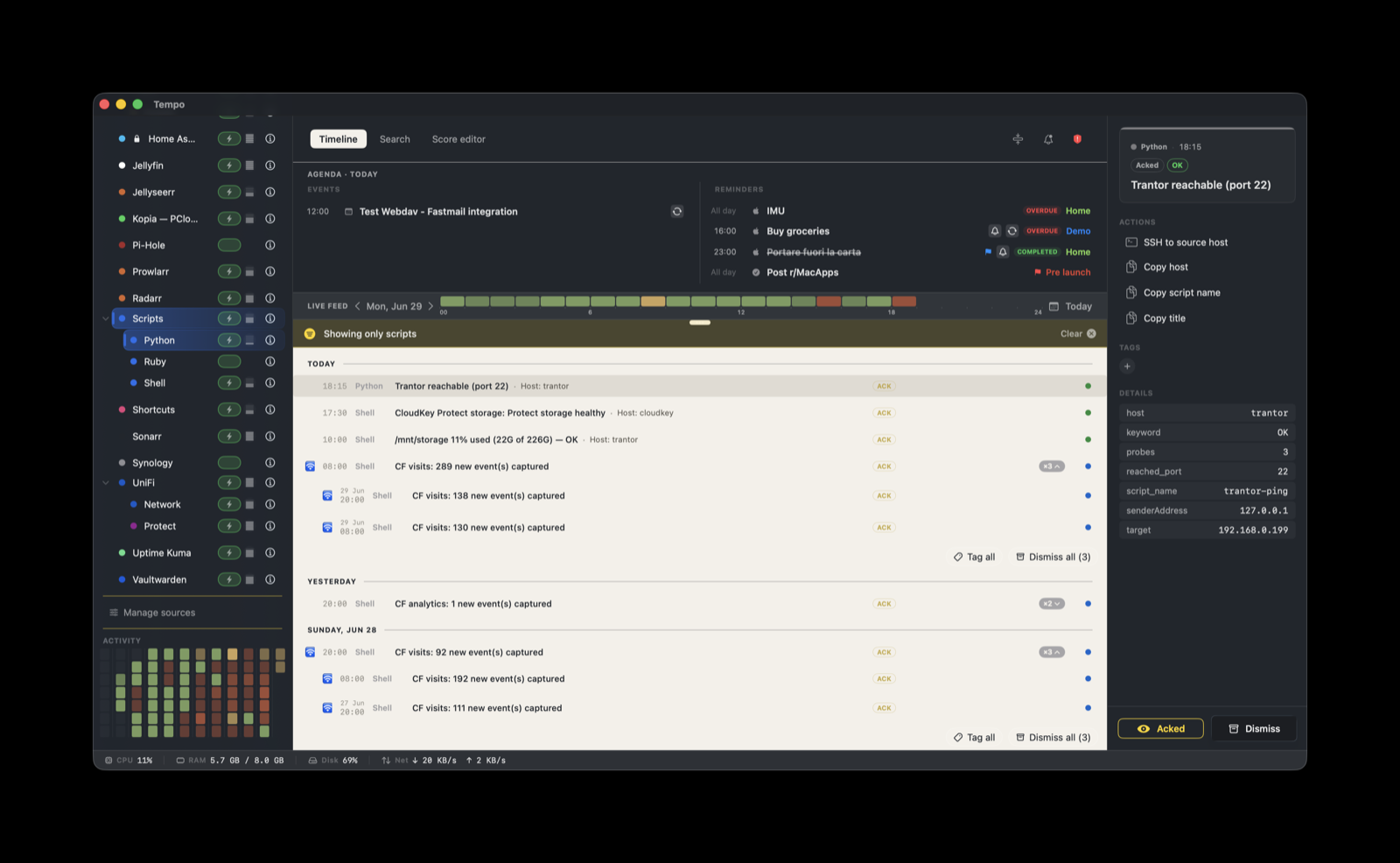
How it works
A sender (any script, scheduled job, or service that can make an HTTP request) POSTs a JSON event to Tempo’s ingest endpoint with a bearer token. There is nothing to install on the sending side beyond the ability to run curl or an equivalent.
This score is built in and auto-installs on first launch. It is the only score that does so; every other score installs from Manage Sources. Scripts is ready before you configure anything else.
It is an umbrella source. The parent providerIdentifier is scripts, and individual senders post under child identifiers like scripts.backup or scripts.deploy. The children appear as siblings under a single Scripts row in the Source panel, so a dozen small scripts stay tidy under one parent instead of cluttering the list. A token can be bound to the parent scripts or to a specific child like scripts.backup.
Post an event
Create a token in Tempo Settings → Ingestion bound to scripts (or to a specific child), copy it, then POST JSON to the ingest endpoint with the token in an Authorization: Bearer header:
curl -X POST http://your-mac.local:7776/ingest \
  -H 'Content-Type: application/json' \
  -H 'Authorization: Bearer YOUR_TOKEN_HERE' \
  -d '{
    "title": "Nightly backup finished",
    "eventType": "alert",
    "providerIdentifier": "scripts.backup",
    "metadata": {
      "script_name": "nightly-backup",
      "host": "trantor.local",
      "label": "OK"
    },
    "actions": [
      { "label": "View log", "systemIcon": "doc.text",
        "trigger": { "openURL": "https://logs.local/backup" } }
    ]
  }'
Replace your-mac.local with the host name or LAN address of the Mac running Tempo. The ingest port is 7776. The only required field is title. eventType is one of event, task, reminder, or alert. Everything under metadata is yours to define and can be referenced from the score with ${metadata.xxx}.
The bundled tempo-post helper wraps this same call: it reads the token from the Keychain and builds the JSON for you, so a script can emit an event in one line instead of a full curl. It ships in the app under Resources/Utilities/shell/ and is also downloadable from the website utilities page.
What you’ll see
Severity is label-based. The score reads metadata.label and maps it to a badge. If label is absent or unrecognized, the event is info. These labels are recognized out of the box:
metadata.label | Badge |
|---|---|
Critical, Critical issues | error: Critical |
Error | error: Error |
Elevated errors | warning: Elevated |
Low space, High, Warning | warning: Warning |
OK | ok: OK |
| anything else or omitted | info: Info |
The matching is on the exact label string, not on keywords found in the title or body. Note that Critical maps to the error severity; this score has no separate critical tier.
Three actions come attached to every event by default, resolved from your metadata at click time:
- SSH to source host: opens
ssh://${metadata.host} - Copy host: copies
${metadata.host}to the clipboard - Copy title: copies the event title
Add your own actions in the payload (as in the curl above), or open the score in Tempo’s Score Editor to add severity rules, grouping, tags, and actions of your own. The harmless action primitives are open URL, open Terminal, and copy to clipboard.
Grouping
Events stack by ["${metadata.script_name}", "${providerIdentifier}"] within a one-day window. Every firing of nightly-backup collapses into one entry for the day rather than flooding the feed with a row per run. Include a stable script_name in the metadata of each sender so its events group correctly.